
GoHighLevel for Small Business: Complete Guide (2026)
Quick Answer
GoHighLevel for small business is an all-in-one platform for managing customer leads, sales pipelines, appointments, email and SMS follow-ups, and marketing automation. It is particularly useful for service businesses that need several of these tools together. The Starter plan costs $97 per month, but messaging, calling, and optional services may cost extra. Businesses with simpler needs should compare the total cost and setup effort before subscribing.
| Platform: | GoHighLevel |
|---|---|
| Trial types: | 14-day standard, 30-day extended partner trial |
| 30 Days Trial: | Available ($0 trial for 30 days) |
| Price: | $97-$497 |
| Discount: | 20% OFF on all plans (save $994/year) |
| Special Offer: | 30-day free trial |
| Cancel: | Anytime from your billing settings before the trial renews |
| Best for: | Agencies, SaaS resellers, local businesses, coaches |
Running a small business often means switching between a contact spreadsheet, booking calendar, email platform, and multiple customer messaging tools. That can make it harder to track inquiries and follow up consistently.
GoHighLevel brings many of these activities into one system. However, having more features does not automatically make software easier or more economical.
The practical question is whether GoHighLevel can solve the specific problems your business faces without adding unnecessary complexity.
What Is GoHighLevel for Small Business?
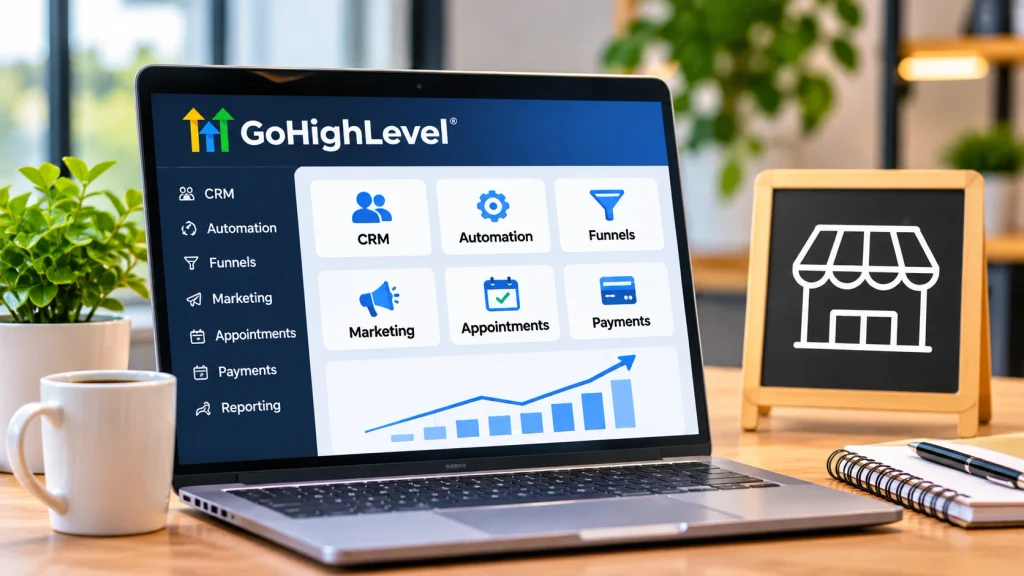
GoHighLevel, also called HighLevel, is a customer relationship management (CRM), sales, and marketing automation platform. It helps businesses capture inquiries, organize contacts, communicate with prospects, schedule appointments, and monitor potential sales.
Although HighLevel has extensive agency-management capabilities, a small business can operate its own workspace without managing other companies.
For example, a local cleaning company could use the platform to collect quote requests, assign them to employees, send appointment reminders, and follow up after completed jobs.
The central advantage is continuity: customer information and relevant interactions can stay connected throughout the sales process.
If you are unfamiliar with CRM terminology, our GoHighLevel CRM beginner’s guide explains contacts, pipelines, and related tools in greater detail.
Which GoHighLevel Features Actually Matter to Small Businesses?
Most small businesses do not need every available feature. The most useful capabilities depend on how customers discover, contact, and purchase from the business.
CRM and Sales Pipeline Management
The CRM stores contact details and helps organize potential customers. Pipelines show where opportunities stand, such as new inquiry, contacted, quote sent, and won or lost.
This is especially valuable when several employees handle inquiries or when customers require multiple conversations before buying.
Automated Customer Follow-Ups
HighLevel workflows can perform actions after defined events, including form submissions and appointment bookings.
For example, submitting a consultation form could trigger a confirmation email, create an opportunity, and notify a team member.
Automation reduces repetitive work, but it still requires appropriate timing, accurate contact information, and oversight. See the official HighLevel workflow documentation for supported triggers and actions.
Appointment Scheduling and Reminders
Booking calendars let customers select available appointments. Businesses can configure scheduling rules and follow-up reminders.
This is particularly useful for salons, coaches, consultants, and home-service providers. Reminders can reduce forgotten appointments, although they cannot eliminate no-shows.
Landing Pages and Lead Capture
HighLevel includes website and funnel-building tools, along with forms for collecting inquiries.
A business can create a dedicated page for a service, capture customer details, and direct submissions into its CRM.
An existing website does not necessarily need replacing. It may be more practical to connect lead forms or use individual campaign landing pages.
Customer Conversations and Review Requests
Supported email, SMS, and other conversations can be managed within the platform, subject to channel configuration.
Businesses can also build review-request processes. Requests should be honest, follow platform rules, and avoid selectively soliciting only positive feedback.
How Can Different Small Businesses Use GoHighLevel?
The software is most useful when configured around a real customer journey rather than a generic automation template.
These examples show where its features may help:
| Business | Useful Workflow | Main Benefit |
|---|---|---|
| Cleaning service | Quote form and follow-up | Organized inquiries |
| Salon | Online booking and reminders | Simpler scheduling |
| Consultant | Discovery calls and lead nurturing | Consistent follow-up |
| Home contractor | Estimate pipeline and reminders | Better job visibility |
The platform is less likely to be the best primary system for a retail business whose most important requirements are inventory, warehouse management, or detailed point-of-sale operations. Those capabilities may require specialist software.
How Do You Set Up GoHighLevel for a Small Business?
Start with one customer process. A focused configuration is easier to test, maintain, and teach employees.
- Define the main problem. Choose a measurable issue, such as unanswered inquiries, missed appointments, or inconsistent quote follow-ups.
- Configure the business workspace. Confirm company information, time zone, team access, and relevant integrations.
- Organize your contacts. Import appropriately collected customer data, remove obvious duplicates, and use only necessary fields.
- Create a simple sales pipeline. Use stages that reflect your actual sales process instead of copying an unrelated template.
- Connect your inquiry source. Set up a form, calendar, or supported messaging channel and verify that new inquiries appear correctly.
- Build one automation. Begin with a confirmation message or internal notification. Check consent requirements before sending promotional messages.
- Test and monitor. Submit a test inquiry, confirm assignments and messages, and review workflow results before relying on the system.
Tip
Use one real customer journey as your first test: inquiry received, contact created, employee notified, appointment booked, and follow-up completed. Correct any broken step before adding more automation.
For an expanded walkthrough, follow our step-by-step guide to using GoHighLevel. More complex sequences are covered in the GoHighLevel automation guide.
How Much Does GoHighLevel Cost for a Small Business?
HighLevel’s published monthly subscription prices are $97 for Starter, $297 for Unlimited, and $497 for its higher agency-oriented tier. The exact name and feature package of the $497 tier may vary across official pages.
The Starter plan is normally the relevant starting point for a business managing its own operations. It includes core tools and allows up to three sub-accounts.
Unlimited is more relevant when managing numerous separate business or client workspaces. The higher tier targets more advanced agency and software-resale requirements.
Subscription prices do not necessarily include communication usage, phone numbers, optional AI capabilities, premium workflow actions, or other add-ons.
Before subscribing, estimate:
- The software subscriptions you can genuinely replace.
- Expected email, SMS, and calling usage.
- Any optional features or integrations required.
- Time needed for migration, setup, and staff training.
- The cost of maintaining your workflows.
Check our detailed GoHighLevel cost breakdown for plan differences and budgeting examples. Confirm current subscriptions and metered charges using the official HighLevel pricing page before purchasing.
Is GoHighLevel Worth It for Your Small Business?
GoHighLevel may be worth the cost when your business needs CRM, appointment booking, customer follow-ups, and lead capture together. It is less compelling when you only need one simple tool.
Use these criteria to assess the fit:
- Consider HighLevel if inquiries arrive through multiple channels and your team struggles to track them.
- Consider HighLevel if staff repeatedly perform the same booking, reminder, and follow-up tasks.
- Compare simpler alternatives if you only need a calendar or basic contact list.
- Compare specialist platforms if complex inventory, accounting, or industry-specific operations are your priority.
For a hypothetical service business receiving dozens of inquiries each week, a connected pipeline and reminder process could reduce manual coordination.
For a solo operator receiving a handful of inquiries each month, the additional setup and subscription expense might outweigh those benefits.
Key Insight
Evaluate GoHighLevel by the work it removes and the customer follow-ups it improves, not by the number of features included in your subscription.
What Mistakes Should Small Businesses Avoid?
The most common implementation problems come from complexity, poor contact data, and automation that has not been tested carefully.
- Automating everything immediately: Start with a simple, repeatable process and expand only after it works reliably.
- Ignoring consent: Configure promotional messaging in accordance with applicable laws and channel requirements.
- Buying unnecessary upgrades: Choose plans based on needed capabilities rather than anticipated growth alone.
- Failing to assign responsibility: Automation can notify employees, but someone must still respond to questions and exceptions.
- Overlooking data migration: Check duplicates, customer history, integrations, and export options before switching systems.
A useful success measure is not simply how many workflows are active. Track whether inquiries are answered, appointments are attended, and leads move through your pipeline.
Frequently Asked Questions
Can one person run GoHighLevel without employees?
Yes. A solo business owner can manage contacts, appointments, and follow-ups in one workspace. The main consideration is whether enough repetitive work exists to justify the cost and learning effort.
Do small businesses need the Unlimited plan?
Usually not. A business operating within Starter’s sub-account limit can generally begin with Starter. Unlimited becomes more relevant when managing additional separate client or business accounts.
Can GoHighLevel work with an existing website?
Yes. Depending on your website and integrations, you can connect supported lead-capture tools or use separate HighLevel landing pages without replacing your entire website.
Can customers reply to automated messages?
Yes, supported two-way messaging channels allow replies to enter customer conversations when configured correctly. Channel availability, consent, and communication charges still matter.
Does GoHighLevel replace accounting software?
No, not completely. HighLevel includes payment and invoicing capabilities, but businesses needing comprehensive bookkeeping, tax reporting, or financial reconciliation may still require dedicated accounting software.
How can you tell whether GoHighLevel is improving results?
Compare meaningful measures before and after implementation, such as response time, qualified appointments, follow-up completion, and sales conversions. Allow for changes in lead quality and volume before attributing improvements to the software.
Conclusion
GoHighLevel can be a practical solution for small businesses that depend on inquiries, customer conversations, appointments, and consistent follow-ups. Its strongest value comes from connecting those activities into a manageable process rather than operating several disconnected systems.
Start by identifying the customer-management problem that costs your business the most time. Then determine whether HighLevel’s Starter features can solve it at a reasonable total cost.
If you choose to adopt the platform, configure one pipeline, one inquiry source, and one reliable automation before expanding. A simple system that employees understand is more valuable than an elaborate setup nobody consistently uses.
