
GoHighLevel Pros and Cons: Is It Worth It in 2026?
Quick Answer
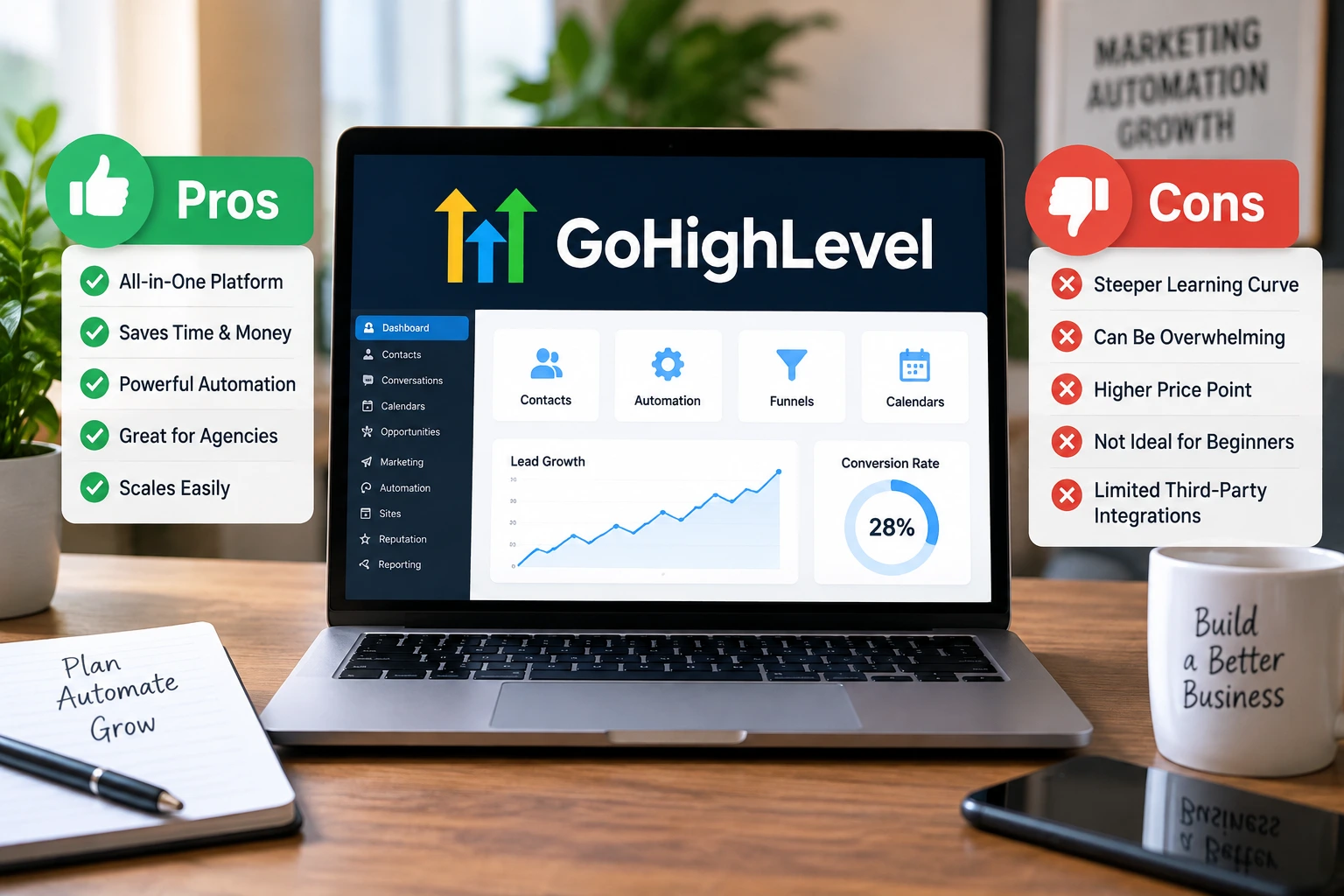
GoHighLevel’s biggest advantage is consolidation: it combines CRM, funnels, websites, email and SMS marketing, calendars, automation, reputation tools, and more in one platform. The tradeoff is complexity, plus usage-based charges and optional add-ons beyond the base GoHighLevel plans.
The main pros
- All-in-one platform: CRM, funnels, websites, calendars, messaging, automation, and reputation tools live together.
- Agency focused: Sub-accounts make managing multiple clients much easier.
- Powerful automation: Workflows can handle lead nurturing, reminders, follow-ups, and internal tasks.
- Unlimited contacts: Current core plans include unlimited contacts and users.
- SaaS potential: Agency Pro adds SaaS Mode for agencies wanting to resell the platform.
The main cons
- Learning curve: The number of features can feel overwhelming at first.
- Extra costs: Phone, messaging, some AI features, and premium services can create additional charges.
- Overkill for some: A simple freelancer or small business may not need the full agency-oriented system.
| Platform: | GoHighLevel |
|---|---|
| Trial types: | 14-day standard, 30-day extended partner trial |
| 30 Days Trial: | Available ($0 trial for 30 days) |
| Price: | $97-$297 |
| Discount: | 20% OFF on all plans (save $994/year) |
| Special Offer: | 30-day free trial |
| Cancel: | Anytime from your billing settings before the trial renews |
| Best for: | Agencies, SaaS resellers, local businesses, coaches |
I’ve found that GoHighLevel makes the most sense when you judge it as a complete marketing system, not as another standalone CRM.
That’s important because its strengths can also create its biggest weaknesses. Here’s a practical look at the GoHighLevel pros and cons in 2026.
What Is GoHighLevel?
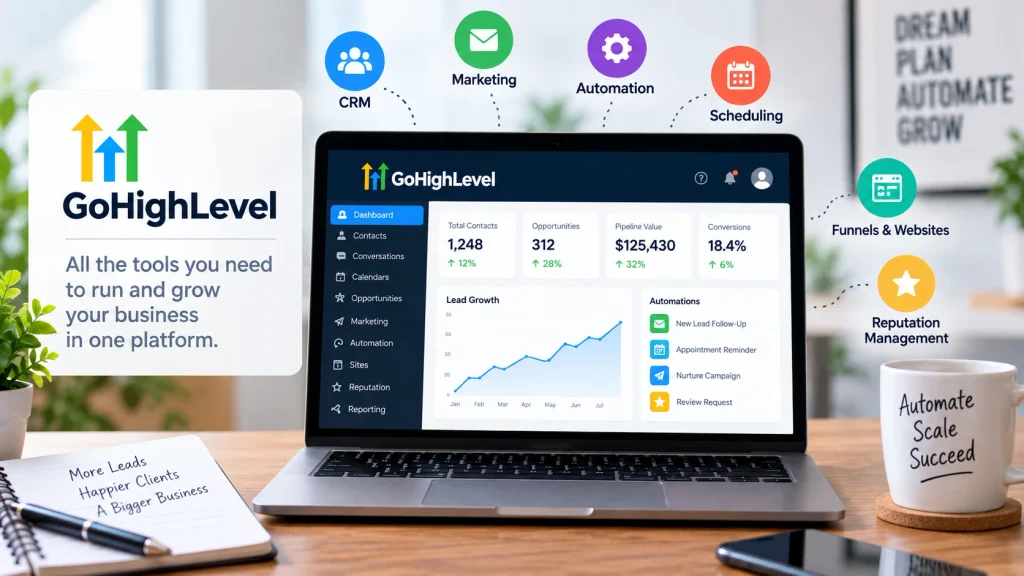
GoHighLevel, also called HighLevel, is an all-in-one sales and marketing platform built heavily around agencies, marketers, and service businesses.
It brings lead management, marketing, sales communication, scheduling, websites, funnels, and automation into one connected environment.
Its current core feature set includes:
- CRM and sales pipelines
- Website and funnel builder
- Email and SMS marketing
- Inbound and outbound calling
- Workflow automation
- Booking calendars
- Forms, surveys, and quizzes
- Unified conversations
- Social media management
- Reviews and reputation management
- Payments and invoicing
- Courses and communities
- AI-powered tools
The attraction is straightforward. Instead of connecting several separate applications, you can run much of your marketing operation from one account.
What Are the Biggest Pros of GoHighLevel?
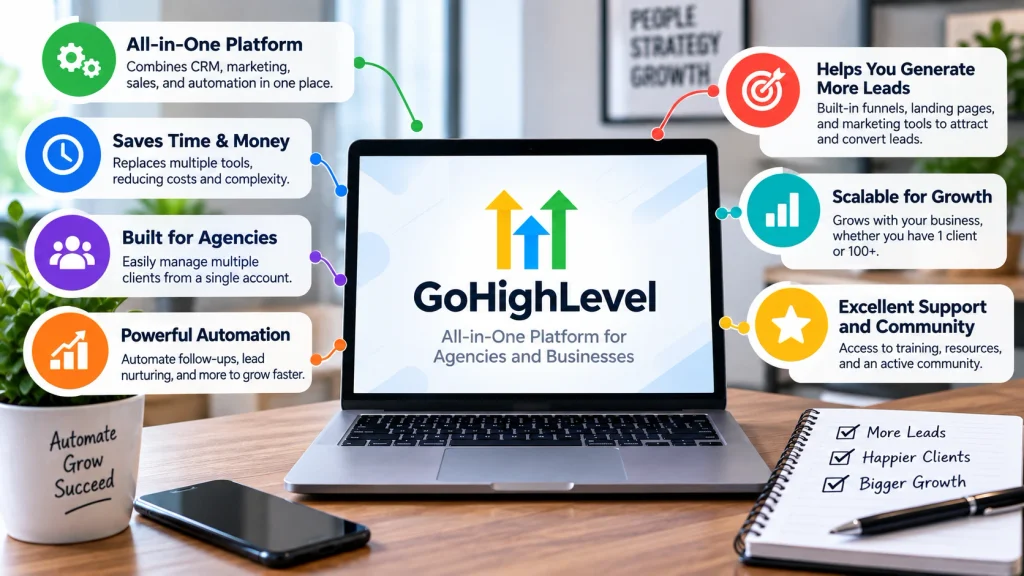
The biggest GoHighLevel advantages are software consolidation, automation, agency scalability, and client management.
Those benefits become more noticeable as your number of leads, campaigns, team members, or clients grows.
1. It Can Replace Several Marketing Tools
This is the benefit I consider first. GoHighLevel can potentially replace several subscriptions that would otherwise need separate billing and integrations.
For example, one account can cover functions normally handled by:
- A CRM
- A funnel builder
- An appointment scheduler
- Email marketing software
- SMS marketing software
- Reputation management software
- Basic website tools
- Automation software
That doesn’t mean GoHighLevel will be better than every specialist application. Dedicated tools can still provide deeper features for a particular job.
The advantage is having customer data and marketing actions connected inside one ecosystem.
2. The CRM and Pipelines Work Well for Service Businesses
GoHighLevel’s CRM lets you organize contacts and move opportunities through customizable sales pipelines.
This is especially useful for businesses where a lead progresses through predictable stages before becoming a customer.
A typical pipeline could include:
- New lead
- Contacted
- Appointment booked
- Proposal sent
- Won or lost
I like this setup because the pipeline gives you a visual answer to a basic question: what is happening with each lead?
Pair that pipeline with workflows, and the system becomes considerably more useful.
3. GoHighLevel Automation Is Powerful
Automation is one of the strongest reasons to choose GoHighLevel. Workflows can trigger actions when leads submit forms, book appointments, change pipeline stages, or meet other conditions.
Common workflow uses include:
- Sending an immediate response after a form submission
- Following up with leads who don’t reply
- Sending appointment confirmations and reminders
- Assigning leads to team members
- Moving opportunities between pipeline stages
- Requesting reviews after a completed service
- Running longer lead-nurture campaigns
The real value isn’t sending one automated message. It’s coordinating multiple actions without requiring someone to remember every follow-up.
4. Sub-Accounts Make It Attractive for Agencies
GoHighLevel becomes particularly compelling when you’re managing multiple businesses.
Each client can operate inside a separate sub-account while the agency manages those accounts from a higher level.
The Starter plan currently supports three sub-accounts. Unlimited and Agency Pro support unlimited sub-accounts.
For an agency adding clients regularly, that pricing structure can be more attractive than paying separately for several tools for every new account.
5. Unlimited Contacts and Users Reduce a Common Scaling Problem
As of 2026, HighLevel advertises unlimited contacts and unlimited users across its main Starter, Unlimited, and Agency Pro subscriptions.
That’s significant because contact-based pricing can make some CRM and email platforms increasingly expensive as your database grows.
You still need to account for usage-related services. Unlimited contacts doesn’t mean unlimited SMS messages, calls, AI usage, or every premium feature.
6. It Includes Websites, Funnels, and Forms
You don’t necessarily need another platform just to create a basic landing page or lead-generation funnel.
GoHighLevel includes website and funnel building alongside forms, surveys, quizzes, domains, and related lead-capture tools.
The biggest advantage here is integration. A form submission can immediately create or update a contact and trigger a workflow.
That reduces the number of separate connections you need to maintain.
7. Calendars Connect Scheduling to Your CRM
GoHighLevel’s booking calendars make sense for appointment-driven businesses such as consultants, agencies, home-service companies, gyms, and other local businesses.
A booking can become part of the same contact record used for messaging, workflows, and pipeline tracking.
You can then build automations around appointment confirmations, reminders, follow-ups, and other scheduling events.
8. Reputation Management Is Built In
Online reviews can have a major impact on local service businesses, so I like seeing reputation management treated as part of the customer journey.
Businesses can build automated processes that request feedback after appointments or completed services.
This won’t replace the need for good customer service. It simply makes asking satisfied customers for feedback more systematic.
9. SaaS Mode Creates Another Agency Business Model
The $497-per-month Agency Pro plan is more than a higher account limit. Its standout feature is SaaS Mode.
SaaS Mode is designed for agencies that want to package HighLevel capabilities as their own software offer.
Agency Pro currently includes:
- Everything in the Unlimited plan
- SaaS Mode
- Automated sub-account creation
- Phone and email rebilling with markup
- User and agent reporting
- Advanced API access
This feature won’t matter to every business. For agencies building recurring software revenue, however, it can substantially change the value proposition.
What Are the Biggest Cons of GoHighLevel?
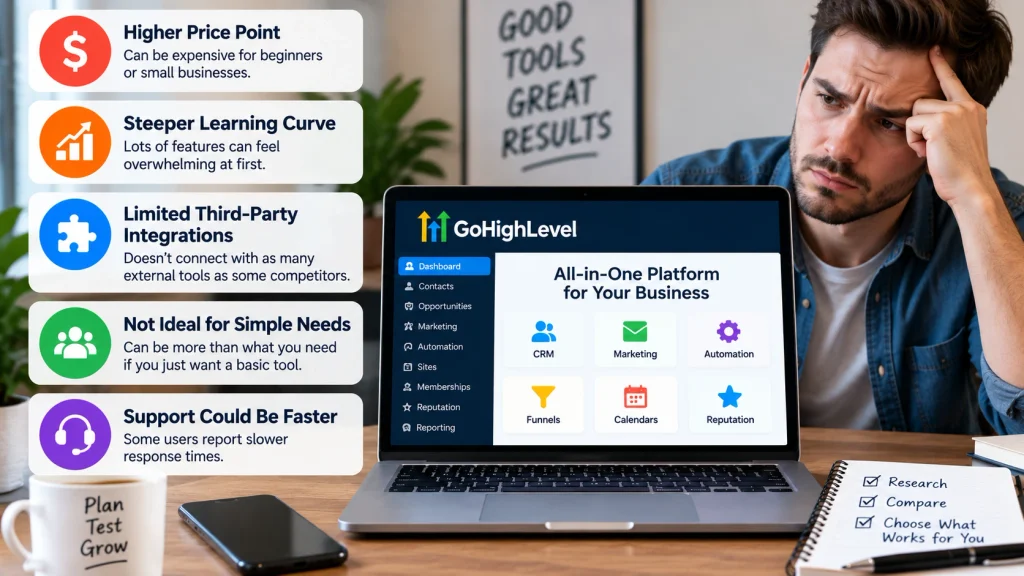
The main GoHighLevel disadvantages are its learning curve, additional usage costs, broad interface, and agency-heavy feature set.
None automatically make it a poor platform. They determine who should—and shouldn’t—buy it.
1. There Is a Real Learning Curve
GoHighLevel does many things, which means there are many things to learn.
A beginner may encounter pipelines, triggers, workflow actions, calendars, domains, conversations, sub-accounts, custom fields, funnels, and integrations almost immediately.
I wouldn’t expect a new user to master everything during the first login. Starting with one customer journey is far more manageable.
For example, build a form, create a pipeline, and automate one follow-up sequence before exploring advanced features.
2. The Interface Can Feel Busy
An all-in-one platform inevitably has more menus than a single-purpose application.
Someone who only wants a simple email newsletter tool may find GoHighLevel unnecessarily broad.
This is the recurring tradeoff with consolidated software. You gain integration but accept additional complexity.
3. Your Subscription Isn’t Necessarily Your Total Cost
This is one of the most important GoHighLevel cons to understand before signing up.
The base subscription provides the platform, but certain communication, AI, and premium services can have separate usage or subscription charges.
Potential extra expenses can include:
- Phone numbers and calling
- SMS and MMS usage
- Email-related usage
- Premium workflow executions
- AI products and usage
- WhatsApp integration
- Dedicated email IPs
- HIPAA compliance
- White-label mobile app
- Other optional add-ons
For that reason, I wouldn’t evaluate GoHighLevel using the subscription price alone. Estimate your expected communication and premium-feature usage too.
4. Some AI Features Add Another Pricing Layer
HighLevel has expanded its AI offering considerably, but AI pricing deserves separate attention.
As of September 2026, its documented options include pay-per-use AI, a $50-per-month AI Employee Growth plan, and a $97-per-month AI Employee Unlimited plan per enabled location.
Coverage differs by AI product. Phone-system charges can also remain separate even when Voice AI usage is included in an AI plan.
That’s why I recommend checking current account pricing before selling an AI-heavy package to clients.
5. It May Be Too Much for a Very Small Business
More features don’t automatically mean better value.
If you only need a contact list and occasional email campaigns, a simpler CRM or email platform may be easier and cheaper.
GoHighLevel becomes easier to justify when you’re actively using several parts of the platform.
GoHighLevel Pros and Cons at a Glance
| Area | Advantage | Potential Drawback |
|---|---|---|
| CRM | Integrated pipelines and contact management | More functionality than basic users need |
| Automation | Flexible multi-step workflows | Advanced workflows take time to learn |
| Agency tools | Sub-accounts and agency-focused management | Less relevant to simple solo-business use |
| Funnels & websites | Built into the marketing ecosystem | Specialist builders may offer deeper design tools |
| Pricing | Unlimited contacts and users on core plans | Usage charges and add-ons can raise total cost |
| SaaS | Agency Pro supports SaaS Mode | Requires the $497/month tier |
How Much Does GoHighLevel Cost in 2026?
GoHighLevel currently has three main self-service subscription tiers: Starter at $97/month, Unlimited at $297/month, and Agency Pro at $497/month.
Annual billing is also available, while enterprise pricing is customized.
| Plan | Monthly Price | Sub-Accounts | Best Fit |
|---|---|---|---|
| Starter | $97/month | 3 | Solo marketers and smaller businesses |
| Unlimited | $297/month | Unlimited | Growing agencies managing many clients |
| Agency Pro | $497/month | Unlimited | Agencies selling SaaS and using advanced rebilling |
The Starter plan is enough to explore most core features without immediately committing to an agency-level subscription.
Unlimited becomes more compelling once three sub-accounts are restrictive. Agency Pro makes the most sense when SaaS Mode and advanced monetization features are part of your business model.
Who Is GoHighLevel Best For?
GoHighLevel is best suited to people who will use its connected marketing and sales features rather than treating it as a single-purpose application.
I would put these users near the top of the list:
- Marketing agencies: Especially agencies managing lead generation and follow-up for multiple clients.
- Local service businesses: Businesses that depend on leads, appointments, reviews, and repeated follow-up.
- Consultants and coaches: Useful when funnels, calendars, CRM, payments, and nurture campaigns need to work together.
- SaaS-focused agencies: Agency Pro is specifically designed around reselling and SaaS Mode.
- Sales-driven teams: Pipelines and automated follow-up can support structured lead management.
Who Should Probably Skip GoHighLevel?
GoHighLevel isn’t automatically the right choice just because it has a long feature list.
I would consider a simpler alternative if any of these situations describe you:
- You only need basic email newsletters.
- You don’t use a structured sales pipeline.
- You rarely automate customer follow-up.
- You don’t need funnels, forms, scheduling, or reputation tools.
- You strongly prefer specialized applications for each marketing function.
- You don’t have time to learn and configure a broader platform.
The key question isn’t, “How many features does GoHighLevel have?” It’s, “How many of those features will I use?”
Is GoHighLevel Worth It in 2026?
Yes, GoHighLevel can be worth it in 2026 for agencies and service businesses that use its CRM, automation, communication, scheduling, and funnel tools together.
It’s harder to justify when you need only one or two simple marketing functions.
For me, the strongest argument for GoHighLevel isn’t any individual feature. It’s what happens when the features share the same contacts, opportunities, conversations, calendars, and workflows.
That connected approach can reduce software fragmentation and make complicated customer journeys easier to manage.
Just calculate the total cost before committing. Your real bill can include communication usage, AI, premium workflow actions, and optional add-ons beyond the core subscription.
Frequently Asked Questions About GoHighLevel
What are the main advantages of GoHighLevel?
The main advantages of GoHighLevel are its integrated CRM, workflow automation, funnels, websites, calendars, email and SMS marketing, reputation management, and agency sub-accounts. It can reduce the need to connect several separate marketing applications.
What are the biggest disadvantages of GoHighLevel?
The biggest disadvantages are the learning curve and potential extra costs. GoHighLevel has many features, so setup can take time, while phone, messaging, certain AI services, premium features, and optional add-ons can increase your total monthly expense.
Is GoHighLevel good for beginners?
Beginners can use GoHighLevel, but they shouldn’t try to configure every feature at once. I recommend starting with contacts, one pipeline, a calendar, and one simple follow-up workflow before moving into advanced automation and agency features.
Does GoHighLevel have unlimited contacts?
Yes. As of 2026, HighLevel states that its Starter, Unlimited, and Agency Pro plans include unlimited contacts and unlimited users. Other limits and usage charges still apply, particularly for communications, AI products, premium features, and sub-accounts.
Can GoHighLevel replace other marketing software?
GoHighLevel can replace several common tools because it combines CRM, funnels, websites, booking, email, SMS, workflows, and reputation management. However, a specialized platform may still be better when you need advanced functionality in one specific area.
Final Verdict on the GoHighLevel Pros and Cons
GoHighLevel’s biggest strength is also the reason it won’t suit everyone: it does a lot.
Agencies can consolidate client management, lead capture, CRM, scheduling, follow-up, funnels, reputation management, and automation inside one platform.
The downside is the time needed to learn that ecosystem. Usage charges and optional add-ons also mean the advertised plan price isn’t always your final cost.
If you’re running an agency or a lead-driven service business, I’d put GoHighLevel on the shortlist. Use the trial period to build a real workflow rather than simply browsing features, because that’s the fastest way to see whether the platform fits how you operate.
