
GoHighLevel Voice AI Guide: Setup, Cost & Features (2026)
⚡ Quick Answer
GoHighLevel Voice AI is a built-in phone agent that answers calls, qualifies leads, and books appointments like a trained receptionist. It works on any plan once you connect LC Phone or Twilio, and it costs about $0.06 to $0.215 per minute pay-per-use, or a flat $97 a month per sub-account on the AI Employee unlimited plan.
What You Need To Know About Voice AI
- Inbound agents: answer within two rings, 24 hours a day, and book appointments live.
- Outbound agents: follow up on new leads, reminders, and cold lists from Workflow Builder.
- Setup location: Settings → Agent Studio → Voice AI inside your sub-account.
Before You Turn It On
-
✓
Connect LC Phone or Twilio first — Voice AI won’t run without it. -
✓
Load a knowledge base so the agent isn’t guessing answers. -
✓
Test-call your own number before you route real traffic to it.
| Platform: | GoHighLevel |
|---|---|
| Trial types: | 14-day standard, 30-day extended partner trial |
| 30 Days Trial: | Available ($0 trial for 30 days) |
| Price: | $97-$297 |
| Discount: | 20% OFF on all plans (save $994/year) |
| Special Offer: | 30-day free trial |
| Cancel: | Anytime from your billing settings before the trial renews |
| Best for: | Agencies, SaaS resellers, local businesses, coaches |
The phone rings at 9 p.m. on a Tuesday, and nobody’s at the desk to pick it up. That missed call was a lead ready to book, and by morning they’ve called your competitor instead. Ashraful has watched this happen to enough service businesses to know it’s the single most common way agencies lose deals they already won.
GoHighLevel Voice AI exists to close that gap. It’s a phone agent built into the HighLevel platform that answers, qualifies, and books — without a human on the line. This guide walks through exactly how it works, what it costs in 2026, and how to get your first agent live today.
📌 Key Takeaways
-
→
Voice AI needs LC Phone or Twilio. It cannot run on a standard forwarded number. -
→
Pay-per-use pricing stacks a voice engine fee, a text-to-speech fee, and LLM tokens into one per-minute rate. -
→
The $97/month AI Employee plan covers unlimited inbound Voice AI per sub-account. -
→
Setup takes six steps from creating the agent to going live with a tested workflow.
What Is GoHighLevel Voice AI and How Does It Work?
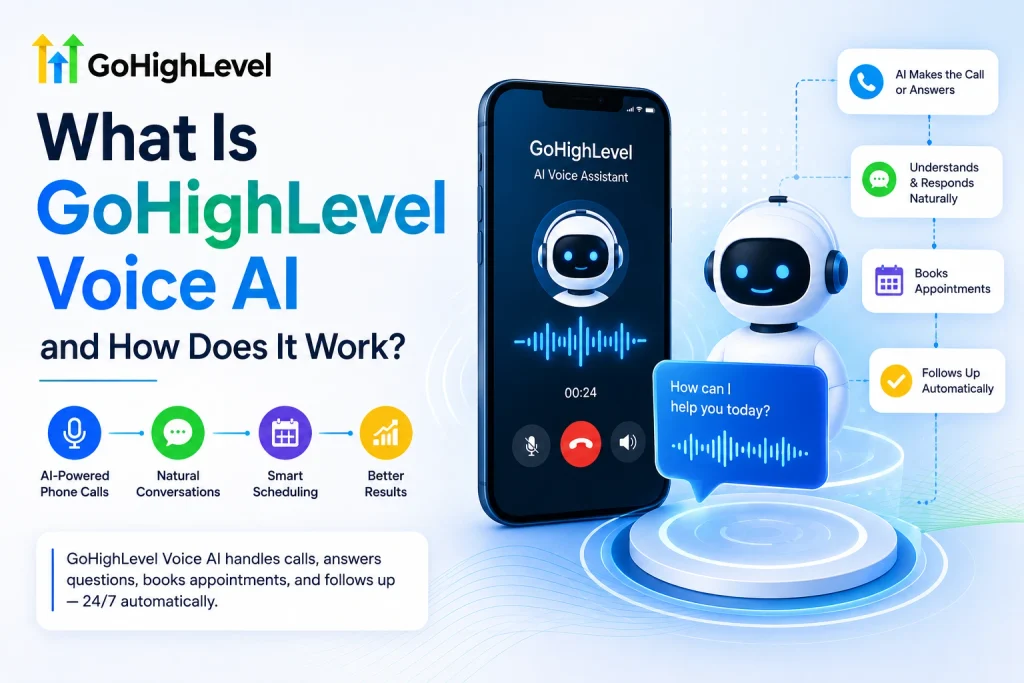
GoHighLevel Voice AI is a phone automation agent built natively into the GoHighLevel CRM and marketing platform. It listens, responds, and takes action on live calls the way a trained receptionist would, without a menu tree or hold music. It runs on every GoHighLevel plan, so the feature itself isn’t gated behind a higher tier — only the usage billing changes.
Two versions of the agent exist, and they solve different problems. Inbound Voice AI sits on your main business line and answers within two rings, day or night, greeting callers and collecting their name, email, and reason for calling. Outbound Voice AI is triggered from GoHighLevel’s Workflow Builder to call new leads, send reminders, or re-engage contacts who went quiet.
Here’s why that split matters. A dental office losing after-hours calls needs inbound coverage first. An agency chasing stale leads from last month’s form fills needs outbound calling instead. So if your problem is missed calls, start inbound — if it’s follow-up, start outbound.
You might be thinking an AI agent will sound robotic and frustrate callers. Recent testing shows GoHighLevel’s agents now run on GPT-5 Mini with sub-600ms response times, which is fast enough that most callers don’t notice a delay before the agent replies.
How Much Does GoHighLevel Voice AI Cost in 2026?
Voice AI bills in one of two ways: pay-per-use or a flat unlimited rate. On pay-per-use, a call stacks four charges — a voice engine fee (about $0.045/minute), text-to-speech (from $0.015 up to $0.17/minute for premium voices), language-model tokens, and telephony through LC Phone. All-in, that lands between roughly $0.06 and $0.215 per minute.
The alternative is the AI Employee Unlimited plan at $97 per month per sub-account, which covers inbound Voice AI, Conversation AI, and Reviews AI with no per-minute cap. On the cheapest voice stack, pay-per-use crosses that $97 mark at around 1,600 minutes a month — so high-volume accounts usually come out ahead on the flat plan.
The table below breaks down what drives your actual per-minute cost, since the advertised rate is only one layer of it.
A typical 3-minute inbound call averages about $0.50 on pay-per-use. So if you’re running under 50 calls a month, pay-per-use usually beats the flat plan.
For a full plan-by-plan cost breakdown, see our GoHighLevel Voice AI pricing guide, and if you’re weighing the unlimited bundle against usage billing, our AI Employee plan guide runs the full math for agencies managing multiple sub-accounts.
How Do You Set Up a GoHighLevel Voice AI Agent?
Setup happens entirely inside your sub-account, and most agencies have a working agent live in under an hour. You don’t need code or a developer — just a phone number, a knowledge base, and a clear goal for the agent.
🔢 Step-by-Step: Launching Your First Voice AI Agent
-
1
Connect a phone line
Go to Settings → Phone Numbers and connect LC Phone or your Twilio account first.
-
2
Open Agent Studio
Navigate to Settings → Agent Studio → Voice AI and click to create a new agent.
-
3
Pick a voice and load the knowledge base
Preview voice options, then feed the agent your FAQs, pricing, and service details.
-
4
Write the agent’s goal and prompt
In Advanced Mode, define what to collect, how to handle objections, and when to hand off to a human.
-
5
Connect calendar and post-call workflows
Link a booking confirmation workflow and a follow-up workflow for leads who don’t book.
-
✓
Test the call before going live
Call from your own phone, confirm the booking lands in your calendar, then route real traffic to it.
That’s not all. The prompt you write in step 4 is the single biggest lever on call quality — a vague prompt produces a generic-sounding agent, while a detailed one that spells out tone, objections, and escalation rules behaves like a properly trained employee.
What Can Voice AI Actually Automate on a Call?
Once live, the agent doesn’t just talk — it takes action inside your CRM. Every completed call can update a contact record, tag the lead, book a slot, and fire a workflow, all without a team member touching the conversation.
📋 Actions a Voice AI Agent Can Trigger
-
Appointment booking: books directly into your GoHighLevel calendar during the call. -
Lead qualification: collects name, contact details, and intent before routing. -
CRM updates: tags contacts and moves pipeline stages the moment the call ends. -
Human handoff: transfers live to a team member when a caller needs one.
Here’s why that matters for cost, not just convenience: voice minutes are the most expensive channel in the platform. So what does this mean for you? Route simple questions through SMS or chat automation first, and reserve voice for callers who explicitly ask to talk — that alone can cut voice minutes by half without losing conversions.
Is GoHighLevel Voice AI Legal and Compliant to Use?
Yes, using Voice AI to handle your own business calls is legal — but the rules tighten once you dial out to people who didn’t ask to be called. In February 2024, the FCC ruled that an AI-generated voice on a call counts as an “artificial voice” under the Telephone Consumer Protection Act, so outbound AI calls need the same consent as any other automated call.
⚠️ Warning
Only run outbound Voice AI on contacts who’ve given consent — reminders for existing customers and warm inbound follow-ups are safest. Cold outbound to purchased lists can trigger TCPA penalties.
The FTC has separately flagged AI voice cloning as a fraud risk, warning that a few seconds of audio can produce a convincing clone. That’s a reason to verify any unexpected “urgent” call requesting money or account changes through a second channel, whether it comes from an AI agent or a human impersonator.
What Most People Get Wrong About GoHighLevel Voice AI
Most people assume Voice AI is a flat, predictable cost. It isn’t — the rate moves with the voice you pick and the model behind it, so two agents doing the same job can cost very differently per minute.
Another common mistake is skipping the knowledge base. An agent with no business context falls back on generic answers, which frustrates callers faster than a hold queue would. Load real FAQs and pricing before you go live, not after.
Some also assume Voice AI works on any phone number. It doesn’t — it strictly requires LC Phone or a connected Twilio number, so a forwarded landline won’t work until that’s set up.
Conclusion
GoHighLevel Voice AI turns every missed call into a booked appointment instead of a lost lead. The setup takes under an hour, the cost scales with actual usage, and the compliance rules are simple as long as you stick to inbound and consented outbound calls.
One thing to do right now: open Settings → Agent Studio in your GoHighLevel sub-account and check whether LC Phone is already connected — that’s the one prerequisite that blocks everything else.
Frequently Asked Questions
What is GoHighLevel Voice AI used for?
It’s used to answer inbound calls, qualify leads, book appointments, and make outbound follow-up calls automatically. It replaces a live receptionist for routine phone conversations while still handing off to a human when needed.
Does GoHighLevel Voice AI work with any phone number?
No. It only works on accounts using LC Phone, GoHighLevel’s built-in phone system, or a ported Twilio number. A standard forwarded landline number won’t support Voice AI until it’s moved onto one of those.
How much does GoHighLevel Voice AI cost per minute?
Pay-per-use pricing runs about $0.06 to $0.215 per minute depending on the voice and model, plus LLM tokens and telephony. The AI Employee Unlimited plan replaces that with a flat $97 a month per sub-account for inbound calls.
Why is my Voice AI agent giving wrong or generic answers?
This usually means the knowledge base is empty or thin. Add your actual FAQs, pricing, and service details in Agent Studio so the agent retrieves real answers instead of guessing during the call.
Can GoHighLevel Voice AI make outbound calls to leads?
Yes, outbound Voice AI can be triggered from Workflow Builder to call new form submissions, send reminders, or re-engage stale leads. It works best on warm lists rather than cold, purchased contacts.
Is it legal to use AI to answer or make business calls?
Answering your own inbound calls with AI is legal with no special rules. Outbound AI calls fall under the TCPA’s rules for artificial voices, so cold or unconsented outbound campaigns carry real compliance risk.
How long does it take to set up a Voice AI agent?
Most agencies complete setup, from connecting a phone number to a tested live call, in under an hour. More complex qualification rules or multi-step scripts can push that to two or three hours.
