
GoHighLevel Agency Guide: Setup & Scale in 2027
⚡ Quick Answer
GoHighLevel gives agencies one system for CRM, funnels, calendars, messaging, and automation. Agency View manages accounts, billing, branding, and snapshots. Each client works inside a separate sub-account. Start with one clean agency workspace and one repeatable client setup. Test that system before adding SaaS or complex automation.
Build Your Agency System in This Order
- 1Choose the agency plan that fits your client count.
- 2Create your own agency workspace.
- 3Give each client a separate sub-account.
- 4Build one tested pipeline and workflow.
- 5Save proven setups as reusable snapshots.
Agency Setup Mistakes to Avoid
- ✓Don’t mix agency data with client data.
- ✓Don’t rebuild every client account manually.
- ✓Don’t automate a broken sales process.
| Platform: | GoHighLevel |
|---|---|
| Trial types: | 14-day standard, 30-day extended partner trial |
| 30 Days Trial: | Available ($0 trial for 30 days) |
| Price: | $97-$497 |
| Discount: | 20% OFF on all plans (save $994/year) |
| Special Offer: | 30-day free trial |
| Cancel: | Anytime from your billing settings before the trial renews |
| Best for: | Agencies, SaaS resellers, local businesses, coaches |
You open Agency View and see settings, accounts, billing, snapshots, and tools. That first screen can feel much bigger than expected.
A good GoHighLevel agency setup needs a clear order. Ashraful wrote this GoHighLevel Agency Guide around that order.
You will separate agency work from client work first. Then you can add pipelines, workflows, snapshots, branding, and SaaS with less risk.
📌 Key Takeaways
- →Separate accounts. Keep your agency workspace apart from every client workspace.
- →Standardize delivery. Snapshots let you reuse proven account setups across clients.
- →Match your plan. Client count and SaaS goals should drive plan choice.
- →Automate last. Prove each client process before letting workflows run it.
What Is GoHighLevel for Agencies?
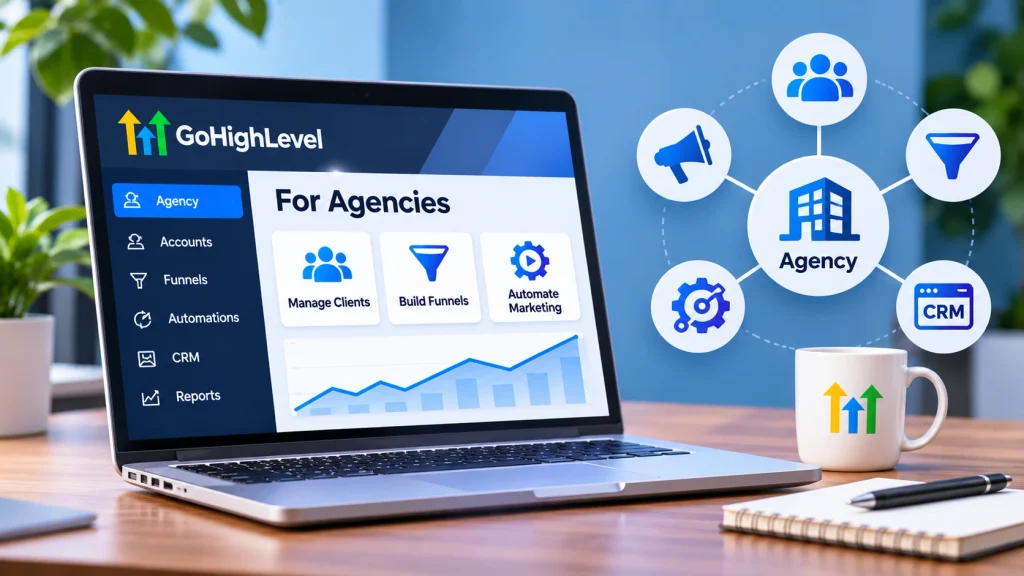
GoHighLevel gives agencies a top-level space for managing client accounts and agency settings. Client work then lives inside separate sub-accounts.
HighLevel also supports an Agency Sub-Account for your own business workspace. This keeps agency work separate from client operations.
The structure matters more than the number of features. A clean account model stops client data from getting mixed.
Use Agency View for broad account control. Use client sub-accounts for CRM, pipelines, calendars, funnels, and workflows.
HighLevel’s 2026 guidance also links Agency Sub-Accounts with supported SaaS and rebilling setups. That makes account choice important before billing starts.
If these account layers still feel unclear, see [GoHighLevel Agency Account vs Sub-Account](https://profunnelbuilder.com/gohighlevel-agency-account-vs-sub-account/?utm_source=chatgpt.com) for the deeper comparison.
The next choice is your plan. That choice decides how far this structure can scale.
Which GoHighLevel Plan Should an Agency Choose in 2026?
Choose your plan from client count and your sales model. A small agency can start lower and upgrade later.
HighLevel lists Starter at $97 monthly with three sub-accounts. Unlimited costs $297 with unlimited sub-accounts. Pro costs $497 and adds SaaS Mode.
That makes Unlimited the natural service-agency tier once three accounts become restrictive. Pro fits agencies that plan to sell software access.
Check [HighLevel’s current pricing page](https://www.gohighlevel.com/pricing?utm_source=chatgpt.com) before buying. Plan details can change.
This table shows the simplest way to match each plan with an agency model.
Do not buy Pro only because it has more features. Buy it when SaaS supports your offer.
For more plan detail, use [the full GoHighLevel pricing guide](https://profunnelbuilder.com/gohighlevel-pricing/?utm_source=chatgpt.com). Your next task is building the account correctly.
How Should You Set Up a GoHighLevel Agency Account?
Start with your own agency workspace before creating a large client list. Then build one clean client account as your model.
Keep each client’s CRM, calendar, pipeline, forms, and messages inside its sub-account. This creates clear ownership and simpler support.
HighLevel now lets supported users mark an account as their own agency workspace. Client accounts use the client designation instead.
🔢 Agency Setup Order
- Create your agency workspace. Add your agency details and core settings.
- Create one model client. Build the client system you plan to repeat.
- Build the sales pipeline. Use clear stages tied to real actions.
- Connect the calendar. Test bookings before adding reminders.
- Build one workflow. Start with new-lead follow-up.
- Run a full test. Submit a fresh lead through every step.
- Create a snapshot. Save the proven setup for later clients.
Pipelines should show the real sales journey. HighLevel uses pipeline stages to track opportunities from start to finish.
For a beginner walkthrough, use [How to Use GoHighLevel](https://profunnelbuilder.com/how-to-use-gohighlevel/?utm_source=chatgpt.com). It covers the core setup order in more depth.
Once the model account works, you can turn it into a repeatable delivery system.
How Do Snapshots, Pipelines, and Workflows Help Agencies Scale?
These three tools turn a custom client setup into a repeatable agency system. Pipelines track work, workflows run tasks, and snapshots copy the setup.
HighLevel snapshots can copy workflows, funnels, calendars, pipelines, forms, fields, and many settings. They focus on reusable setup, not live client activity.
Contacts, appointments, conversations, messages, and Stripe connections do not transfer through snapshots. Plan those items after loading the new account.
As of August 28, 2026, HighLevel can load one snapshot into multiple sub-accounts. The same flow can link available accounts to that snapshot.
That update matters for agencies with a standard service package. One tested setup can reach several client accounts with less manual work.
✅ Build One Master Client System
Use one clean source sub-account for each service type. Test every pipeline and workflow before creating its snapshot.
Workflows run from triggers and actions. A form can trigger texts, tasks, updates, or other follow-up steps.
Keep the first automation simple. A new lead workflow gives you the clearest test.
For deeper examples, see [the GoHighLevel automation guide](https://profunnelbuilder.com/gohighlevel-automation/?utm_source=chatgpt.com). First prove one flow, then add more.
You now have the base for service delivery. SaaS adds a different business model on top.
How Do White-Label and SaaS Mode Change the Agency Model?
White-label tools change what clients see. SaaS Mode changes how the agency can package and sell access.
HighLevel says Pro’s SaaS Mode lets agencies sell software subscriptions from their own sites. It can also create client accounts after purchase.
Current Agency Sub-Account tools also support SaaS billing flows on eligible plans. SaaS products can connect to the selected agency-owned workspace.
White-label options can include a branded desktop login domain. HighLevel also offers tools for branded mobile app builds.
Do not treat branding as the main value. Clients stay because the system helps their business run.
A strong SaaS offer starts with a narrow use case. Examples include lead response, booking, reviews, or client follow-up.
Then package the CRM and workflow around that result. The software becomes part of the service promise.
If SaaS is your goal, review [the GoHighLevel Agency Pro guide](https://profunnelbuilder.com/gohighlevel-agency-pro-plan/?utm_source=chatgpt.com) before upgrading.
There is one warning. SaaS makes weak systems easier to sell at scale.
That is not a good thing. Fix the delivery model first.
What Most People Get Wrong About GoHighLevel Agency Setup
Most setup problems come from structure, not missing features. New users often build too much before testing the basics.
The strongest agency setups do the opposite. They separate accounts, prove one process, then copy what works.
The first mistake is treating Agency View like a client workspace. Keep client activity inside the correct client sub-account.
The second mistake is rebuilding every new client manually. A tested snapshot exists to remove that repeated setup work.
The third mistake is assuming snapshots copy live business data. HighLevel excludes contacts, messages, conversations, and several live connections.
You may also think more workflows create more value. They do not when the process remains unclear.
One short workflow can outperform ten messy ones. Give each trigger a clear reason and expected result.
So what does this mean for you? Build less during your first week.
Make the core journey work first. Then turn that journey into your agency standard.
How Do You Keep Client Accounts Clean, Safe, and Easy to Manage?
Good account hygiene protects clients as your agency grows. Use simple names, clear access rules, and repeatable tests.
Give each client its own account. Keep your agency workspace focused on agency work and shared systems.
Use clear pipeline stage names. A stage such as “Quote Sent” tells staff what happened.
Give users only the access they need. Check roles before sharing billing, account, or automation controls.
Test workflows with fresh contacts before launch. HighLevel also recommends checking triggers and re-entry rules during workflow tests.
Keep a source account for each main service. Create snapshots only after that source passes your tests.
Document who owns domains, phone numbers, payment links, and outside integrations. Snapshots do not copy every live connection.
Review accounts on a fixed schedule. Remove old workflows, unused fields, and duplicate assets.
This work feels small during onboarding. It becomes valuable after client number ten.
Conclusion
GoHighLevel works best when your agency follows one clear operating model. Keep clients separate and copy only systems that already work.
Add SaaS Mode after your core service flow proves itself. One thing to do right now: map one client’s lead-to-booking journey.
Frequently Asked Questions
Is GoHighLevel good for agencies?
Yes, GoHighLevel fits agencies that manage repeatable client sales and marketing systems. It combines client sub-accounts, CRM tools, pipelines, workflows, funnels, calendars, and messaging. The strongest fit comes when several clients need similar processes. A simple agency needing only one tool can choose a smaller platform.
What is the difference between an agency account and sub-account?
The agency layer controls broad agency settings and client account management. A sub-account holds the daily tools for one business. That includes contacts, pipelines, calendars, funnels, and workflows. HighLevel also supports agency-owned sub-accounts for internal work, SaaS plans, and supported billing setups.
How many sub-accounts can I have in GoHighLevel?
HighLevel’s current Starter plan includes three sub-accounts. Agency Unlimited and Pro include unlimited sub-accounts. The Starter plan costs $97 monthly. Unlimited costs $297 monthly, while Pro costs $497 monthly. Check HighLevel’s pricing page before signup because plan terms can change.
What is SaaS Mode in GoHighLevel?
SaaS Mode lets eligible agencies package HighLevel access as a software offer. Agencies can create subscription plans and connect account creation with customer purchases. HighLevel places SaaS Mode on its $497 Pro plan. Agencies should build a tested client system before turning that system into a SaaS product.
What is a GoHighLevel snapshot?
A GoHighLevel snapshot is a reusable copy of selected sub-account setup assets. It can contain workflows, pipelines, funnels, calendars, forms, fields, dashboards, and other settings. Agencies use snapshots to launch new accounts without rebuilding the same setup. The source account should be tested first.
Do GoHighLevel snapshots copy contacts?
No. HighLevel says snapshots do not transfer contacts, appointments, conversations, messages, or live activity. They also exclude several connected services and account links. Use snapshots for reusable structure and assets. Move client records and connect outside services through the correct setup process afterward.
Which GoHighLevel plan is best for an agency?
Agency Unlimited fits many service agencies because it supports unlimited sub-accounts for $297 monthly. Starter fits newer agencies with three or fewer accounts. Pro fits agencies that need SaaS Mode. Choose from your client count and offer, not from the longest feature list.
